
Configuration of notifications is done at the level of the plan, in most cases the customer will define a set of plans based on its need and assign one of the plans to several endpoints.
This is a 2 step process:
Step 1: Create or Modify the Plan
Go to the Plan menu tab and create a new plan or modify an existing one, In the Advanced tab of the Plan creation you can configure different Notifications Types that you want to receive from the SIM for Things platform.
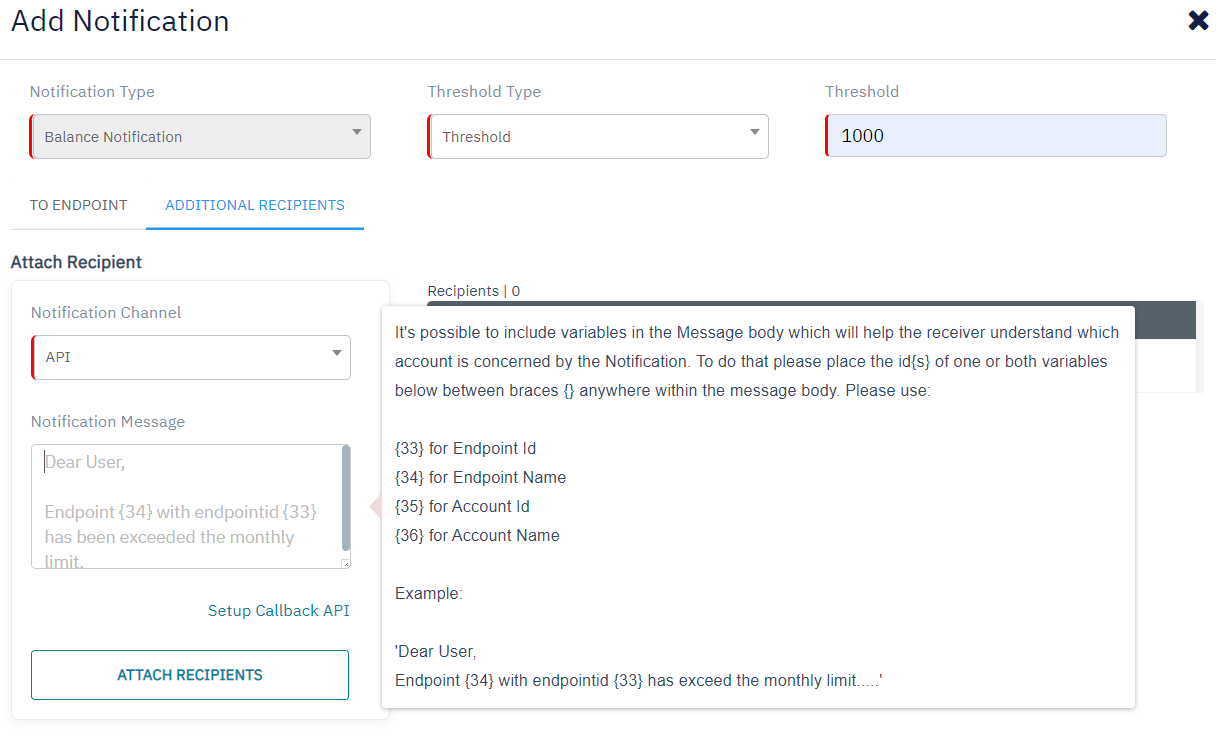
For Additional Recipients choose the Notification Channel as “API”, as shown in the screenshot below. Configure the Notification Message that you want to receive (include the variables if required for dynamic content in message body) and submit by clicking Attach Recipients
Step 2: Configure the Callback API
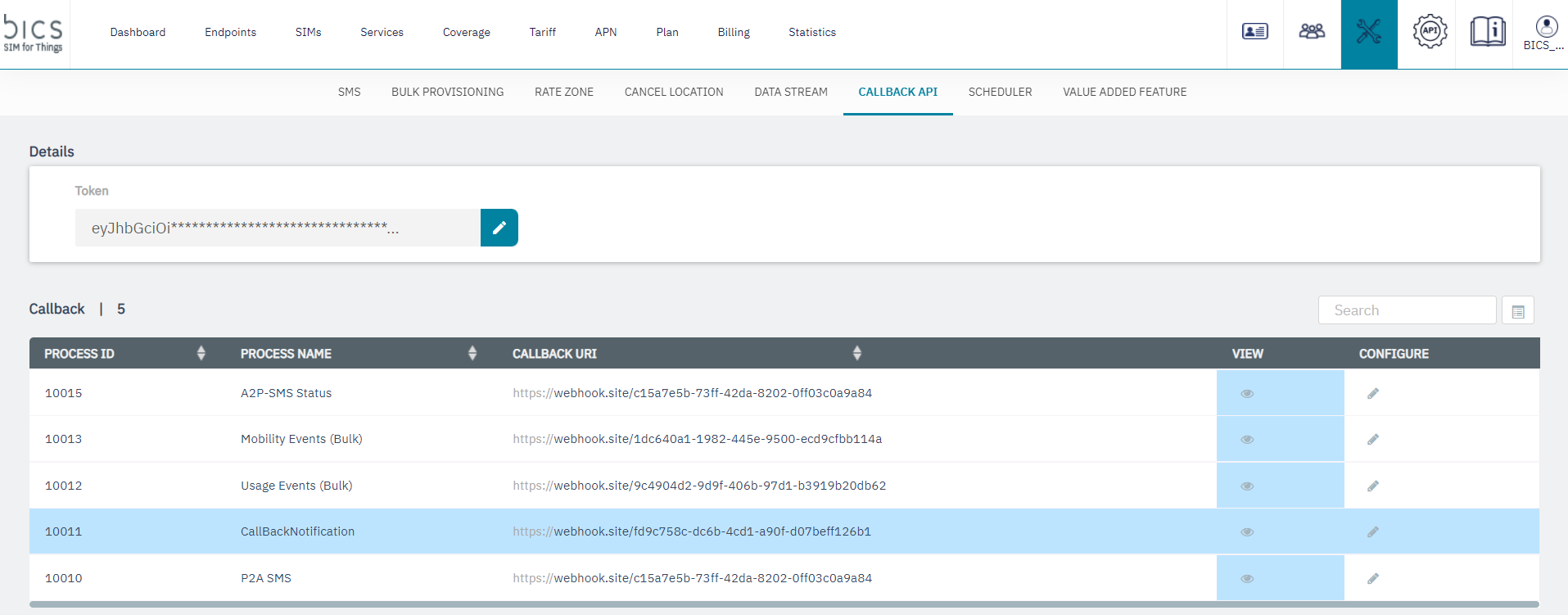
Go to the Tools tab and select Callback API sub menu.
-
Configure the
Tokenwith a JWT format token which will be included in the header of the Notification API request send towards your data center, this provides a secure way to authenticate that the API request is initiated by the SIM for Things platform. -
Configure
Process ID- 10011Process Name- CallBackNotification with theCallback URIof your Data center for e.g. https://webhook.site/callbacknotification.
Sample of the Callback Notification API request sent towards the customer data center.
{
  "Request": {
  "apiCallback": {
  "accountId": "41094429",
  "callbackProcessId": "1029",
  "callbackProcessName": "CallBackNotification",
  "callbackUri": "https://customer/url/abc"
    },
  "notification": {
  "callbackId": "3868551829710785",
  "callbackTimestamp": "11/09/2020 01:25:23",
  "message": "Notification Message defined by the customer with variables"
    }
  }
}