
Overview SIM Status - Reseller view
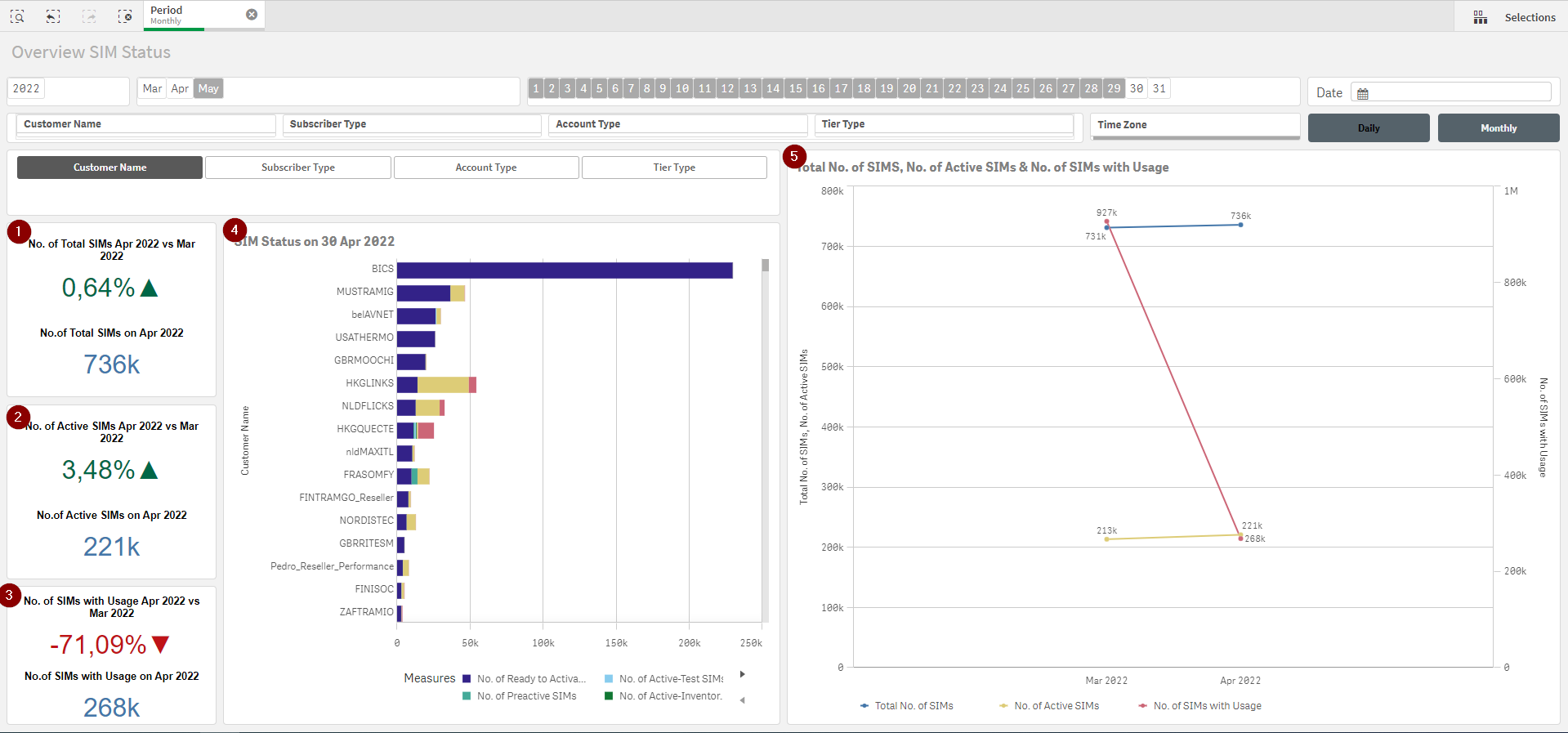
Main KPIs are presented on the left-hand side,
1 - Total No. of SIMs as per the last available/selected date and %-difference with previous period
2 - Total No. of Active SIMs as per the last available/selected date and %-difference with previous period
3 - Total No. of SIMs with Usage as per the last available/selected date and %-difference with previous period
Charts in the middle and right-hand side,
4 - No. of SIMs in each Status as per the last available/selected date of the multiple direct-Customers
→ The dimension of this chart can be per Subscriber Type (PostPaid or PrePaid), Account Type (Trial or Commercial) or Tier Type (Reseller or Enterprise)
5 - Total No. of SIMs, No. of Active SIMs and No. of SIMs with over the available/selected dates
There are multiple filters available,

-
Date (Year, Month, Day)
-
Monthly (default) or daily granularity
-
Customer Name (if only 1 Customer is select then chart 3 changes to a vertical bar - example below)
-
Subscriber Type (PostPaid or PrePaid)
-
Account Type (Trial or Commercial)
-
Tier Type (Reseller or Enterprise)
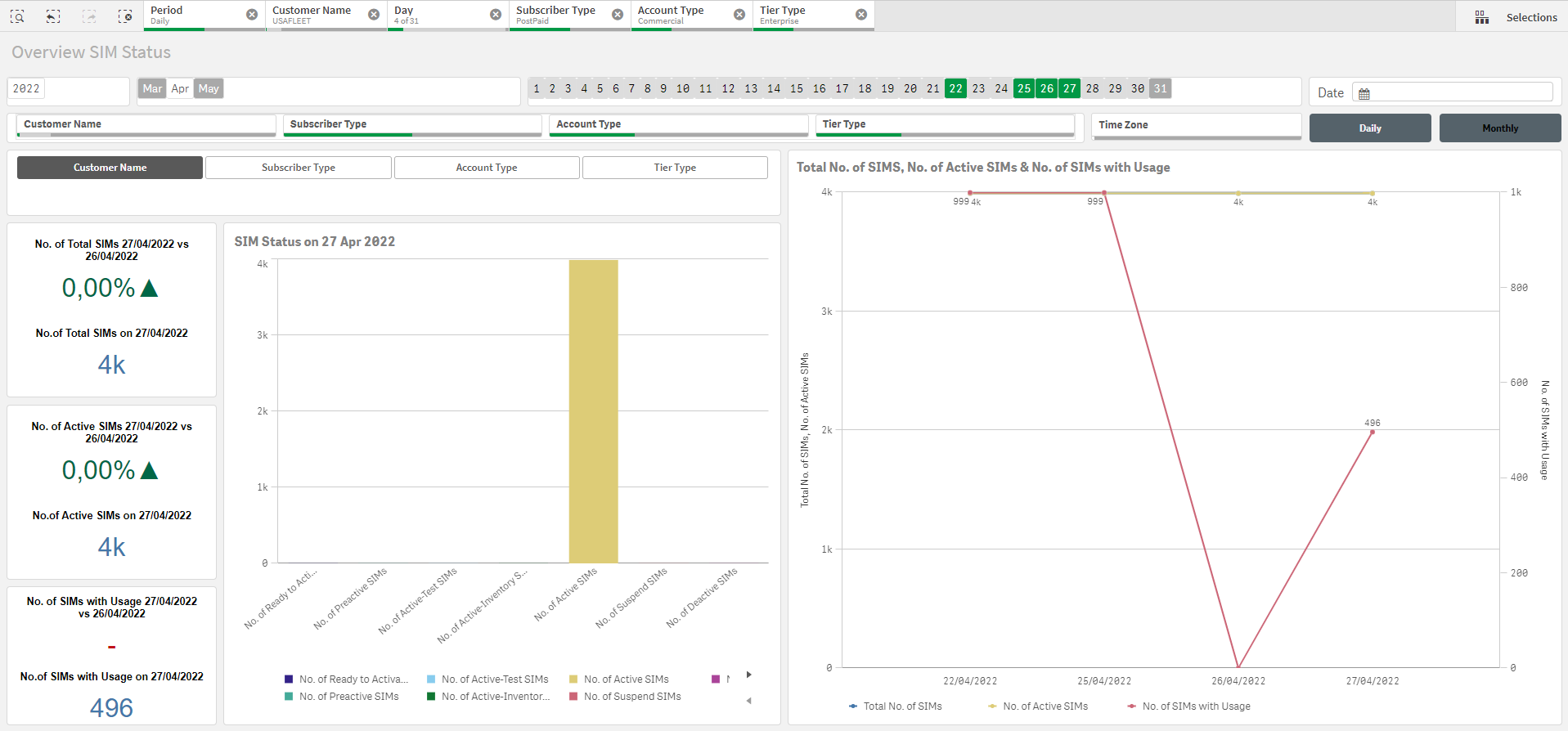
Overview SIM Status - Enterprise view
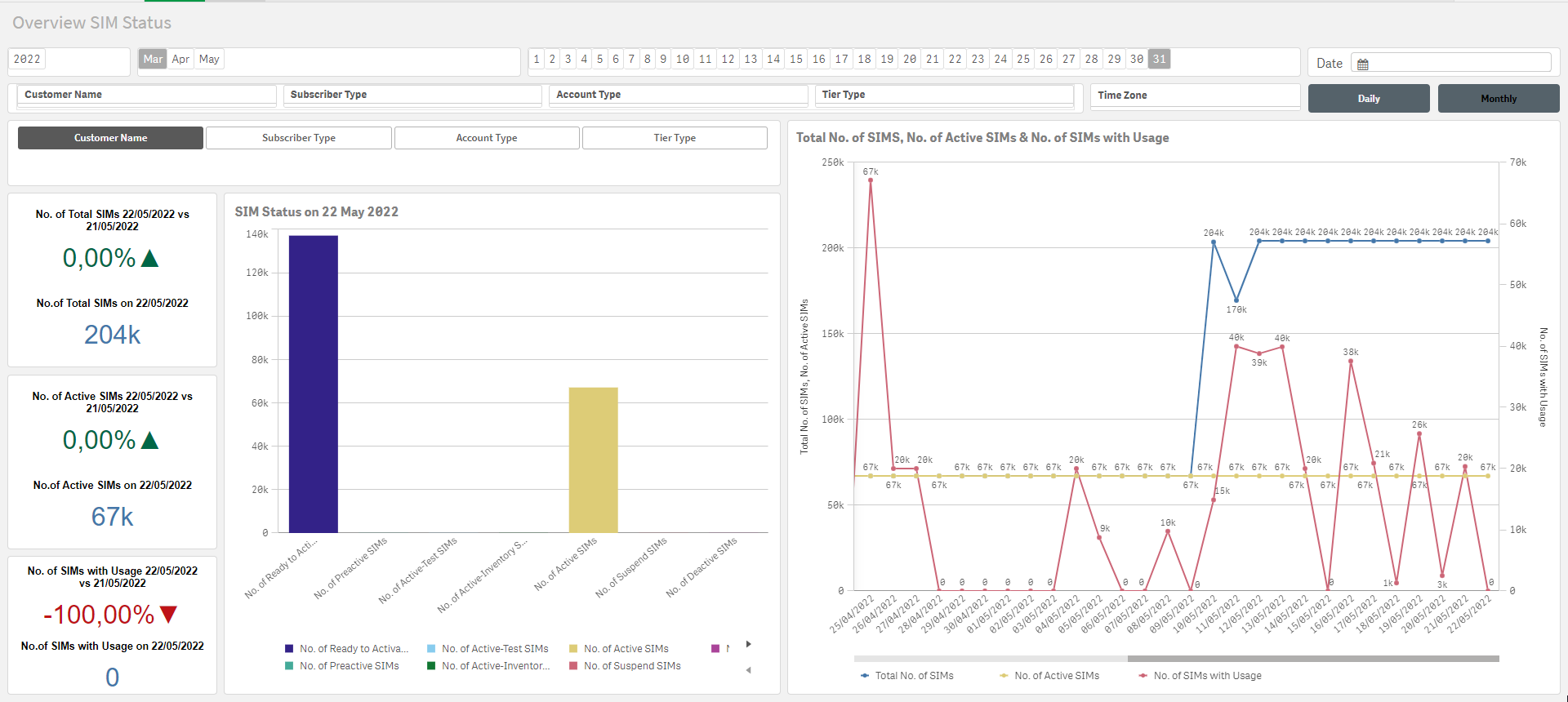
Overview SIM Status has the same implementation for Enterprise and BICS/Reseller with the difference that SIM Status chart is providing only the details of the selected Enterprise.