
1. On the top menu, click Tariff to view the Tariff details. Refer to the following screen.
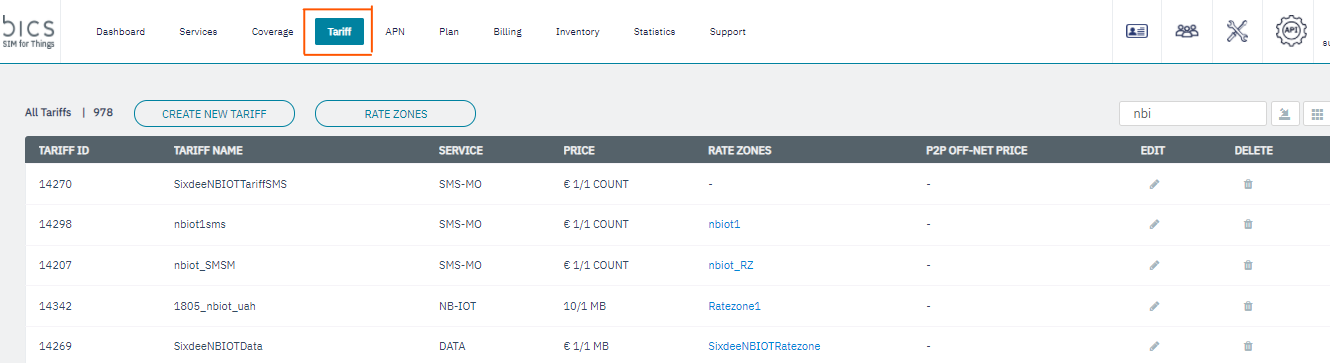
Figure 15 Tariff
-
Click
to modify the Tariff details. Refer to the following screen.
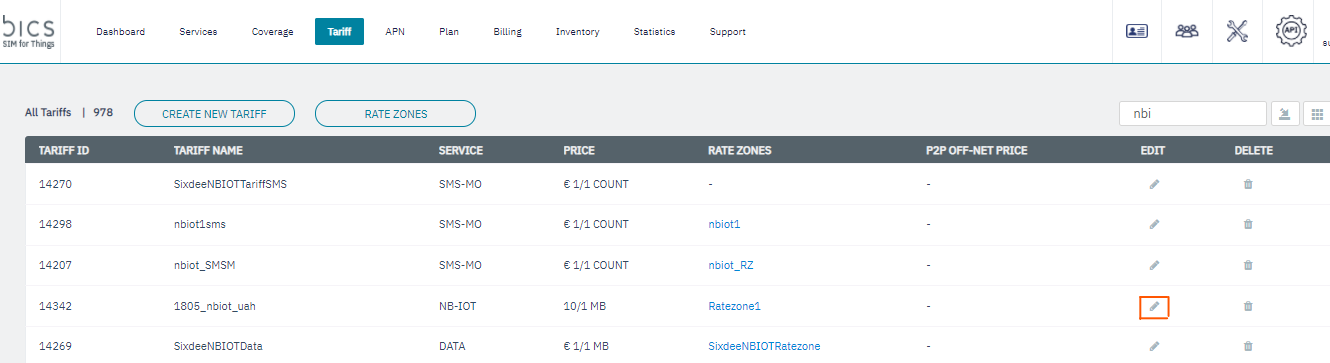
Figure 16 Modify Tariff
-
After clicking the button, the
Modify Tariff screen is displayed
Figure 17 Modify Tariff
For tariff with MO-SMS or MT-SMS as service, you can modify the following fields in the Modify Tariff screen.
-
Tariff Name
-
Status
-
Price per Unit
Note: You cannot modify Service, Orig Criteria, Originating Rate zone, and currency for tariff with MO-SMS or MT-SMS as service
For tariff with Data or NB-IOT as a service type, you can modify the following fields in the Modify Tariff screen.
-
Tariff Name
-
Status
-
Rating group
-
Price per Unit
-
Unit
-
Unit Type
Note: You cannot modify Service, Orig Criteria, Originating Rate zone, and currency for tariff with Data or NB-IOT as service
-
After modifying the details, click
Submit.
A confirmation message is displayed, indicating the Tariff details are modified successfully.
Figure 18 Confirmation message